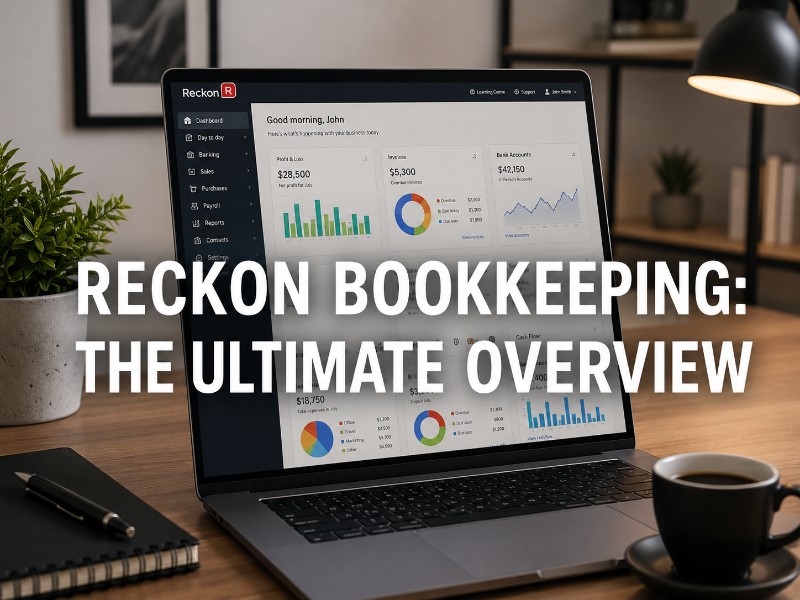
Reckon Bookkeeping Software Overview
Running a business in Australia means paperwork doesn’t stop — and the software you pick to manage it matters more than most people realise until they’re six months in and wishing they’d chosen differently. Bookkeeping tools aren’t glamorous. But they’re the thing between you and a panicked BAS weekend every quarter.
Reckon is one of the older names in Australian accounting software, and that history counts for something. This overview breaks down what it actually does, what it costs, how it stacks up against the competition, and whether it’s the right fit for your situation.
What Is Reckon Bookkeeping Software?
Reckon has been operating in the Australian market since the late 1980s — well before “cloud accounting” was even a phrase people used. Originally built on the MYOB and QuickBooks legacy, it carved out its own identity as a locally focused alternative for sole traders and small-to-medium businesses.
Today, Reckon offers a range of cloud-based products under different names — Reckon One, Reckon Accounts Hosted, and Reckon Payroll — each targeting slightly different business profiles. It’s not trying to be everything to everyone, which is actually part of what makes it worth considering seriously.
The target user group is fairly clear: if you’re a sole trader, a startup with a lean team, or an SME that needs solid compliance features without paying enterprise-level pricing, Reckon was built with you in mind. It’s not chasing the same mid-market segment as Xero or the enterprise space that MYOB increasingly occupies.
Key Features of Reckon Bookkeeping Software
The feature set is practical and covers the essentials well.
Invoicing and expense tracking are handled cleanly. You can create branded invoices, set up recurring billing, and track expenses against categories in a way that doesn’t require an accounting degree to understand.
Bank feeds work the way you’d expect from modern bookkeeping software — automated reconciliation pulls in transactions from connected accounts and flags anything that needs your attention. In practice, this cuts down on the tedious manual matching that used to eat hours every week.
GST and BAS support is where Reckon genuinely earns its keep for Australian businesses. The software is built around Australian tax requirements, not retrofitted for them after the fact. That’s a meaningful difference when it comes to quarterly reporting.
Payroll functionality is included in higher-tier plans, covering Single Touch Payroll (STP) reporting, superannuation calculations, and leave management. Financial reporting dashboards give you a readable snapshot of cash flow, profit and loss, and balance sheet positions without needing to generate custom exports for every question.
Reckon Pricing Plans and Value for Money
Reckon One pricing starts at roughly $12 AUD per month for the basic bookkeeping module, with additional modules for payroll and projects available at extra cost. It’s a modular structure — you pay for what you use rather than a fixed bundle.
Here’s a rough breakdown of what’s typically available:
- Core (from ~$12/month): Invoicing, expense tracking, bank feeds, basic reporting
- Core + Payroll (from ~$22–$30/month): Adds STP payroll and superannuation management
- Full Suite: Varies depending on employee count and feature selection
Annual billing usually brings the cost down by around 10–15% compared to monthly. For sole traders especially, the entry-level tier is genuinely affordable — you’re not paying for payroll features you’ll never use.
Compared to Xero’s starting price of around $29/month for its entry plan, Reckon’s modular approach can save meaningful money if your needs are straightforward. The trade-off is that costs can creep up once you start adding modules, so it’s worth mapping out exactly what you need before signing up.
Benefits of Using Reckon for Australian Businesses
The clearest benefit is compliance simplicity. GST reporting, BAS preparation, and STP payroll are built into the workflow rather than bolted on. For most small business owners, that removes the thing they stress about most.
Automation is genuine here. Bank reconciliation, recurring invoices, and payroll processing all run with minimal manual input once configured. What tends to happen after a few months of using it consistently is that you stop thinking about bookkeeping as a task and it just… runs.
Financial visibility is another practical win. Knowing your cash position without opening a spreadsheet changes how you make day-to-day decisions. It’s a small shift that compounds over time.
Scalability is reasonable for growing businesses up to around 50 employees, though larger operations sometimes find the feature set starts to feel limiting.
Reckon Payroll and Australian Compliance Features
Payroll compliance in Australia is genuinely complex — and it changes often enough that getting it wrong is an expensive mistake. Reckon handles the main requirements:
Single Touch Payroll (STP): Mandatory for all Australian employers, STP reporting is built into Reckon Payroll. Submissions go directly to the ATO with each pay run.
Superannuation: The software calculates super obligations automatically and supports electronic super payments through approved clearing houses.
Leave tracking: Annual leave, sick leave, and long service leave are tracked per employee, with automatic accrual calculations.
Tax file number declarations and PAYG withholding are also managed within the system, reducing the paper trail and keeping records audit-ready.
Fair Work compliance isn’t something software can fully automate — you still need to know your award rates — but Reckon’s payroll module removes most of the calculation burden.
Integrations and Ecosystem Compatibility
Reckon’s integration ecosystem is functional without being as expansive as Xero’s marketplace. That’s honestly a fair trade-off depending on your business type.
Banking integrations cover the major Australian banks — ANZ, CBA, NAB, Westpac — plus a range of smaller institutions. Payment processing connects with Stripe and a handful of other gateways.
eCommerce compatibility is more limited. If you’re running a Shopify or WooCommerce store at volume, you’ll want to verify current integration availability before committing.
Third-party business applications — CRM tools, project management software, and the like — connect through Zapier for many use cases, which covers a lot of ground even if native integrations are thin in places.
Data import and export in CSV and other standard formats means you’re not locked in, which matters if you ever need to migrate.
Reckon vs Other Accounting Software in Australia
Here’s where things get genuinely useful. No single platform wins across the board — they just win for different business types.
| Feature | Reckon | Xero | MYOB | QuickBooks |
|---|---|---|---|---|
| Starting price (AUD/month) | ~$12 (modular) | ~$29 | ~$27 | ~$15 |
| Australian-built | Yes | No (NZ-origin) | Yes | No (US-origin) |
| STP payroll | Yes | Yes (add-on) | Yes | Yes |
| BAS reporting | Strong | Strong | Strong | Decent |
| Third-party integrations | Limited | Extensive | Good | Good |
| Ease of use | Moderate | High | Moderate | High |
| Best for | Sole traders, small teams | Growing SMEs | Established businesses | Freelancers, small business |
A note on the comparison: Xero wins on integrations and polish, but you’re paying for that. MYOB has the deepest feature set for larger operations but comes with complexity that smaller businesses don’t need. QuickBooks is slick but designed around a US tax framework first. Reckon’s advantage is specifically the Australian-first compliance design and the lower entry price point — if those matter to your situation, the trade-offs on integrations are usually acceptable.
Potential Limitations to Consider
No software is perfect for every business, and Reckon has real limitations worth knowing about.
Feature restrictions on lower-tier plans mean that if you need job costing, project tracking, or advanced inventory management, you’ll either upgrade or work around gaps.
Industry-specific requirements — construction, healthcare, agriculture — sometimes push businesses toward more specialised software. Reckon doesn’t have deep vertical features.
The interface, while functional, isn’t as modern-feeling as Xero. New users sometimes find there’s a steeper initial learning curve, particularly if they’re coming from a consumer-facing app background.
Integration availability is genuinely thinner than competitors. If your business relies on a specific tool that needs native sync, verify compatibility before committing.
For businesses expecting rapid growth past 50 employees, the scalability ceiling becomes a real planning consideration.
Is Reckon Bookkeeping Software Right for Your Business?
Reckon fits best when your situation looks roughly like this: you’re a sole trader or running a small team in Australia, compliance is a priority, and you don’t want to pay for features you’ll never use.
Before selecting any bookkeeping software, it’s worth asking a few practical questions:
- Do you need payroll, or just invoicing and BAS?
- How many bank accounts and payment methods do you reconcile?
- What third-party tools does your business already depend on?
- Are you likely to hire more staff in the next 12–18 months?
- What’s your actual monthly budget for software?
If payroll and BAS compliance are your main requirements, Reckon’s modular pricing makes it genuinely competitive. If you need a broad integration marketplace or highly polished UX, Xero is probably worth the extra monthly cost.
Final Thoughts on Reckon Bookkeeping Software
Reckon is a solid, Australian-built bookkeeping solution that does what it promises without unnecessary complexity. It’s not the flashiest option on the market, but it’s reliable, compliance-focused, and affordable for businesses that don’t need enterprise-level features.
Core strengths: Australian compliance design, competitive entry pricing, functional payroll for SMEs, solid BAS preparation tools.
Main limitations: Thinner integration ecosystem, less polished interface than some competitors, scalability constraints for larger teams.
Best use cases: Sole traders managing GST and BAS, small businesses with up to 20–30 employees, startups that want compliance handled correctly from day one without overpaying.
The practical next step is to run Reckon’s free trial alongside whichever competitor you’re also considering. What tends to happen is that the interface either clicks within the first week or it doesn’t — and that instinct is worth trusting. Pricing and features matter, but so does the software you’ll actually use consistently without resenting it